
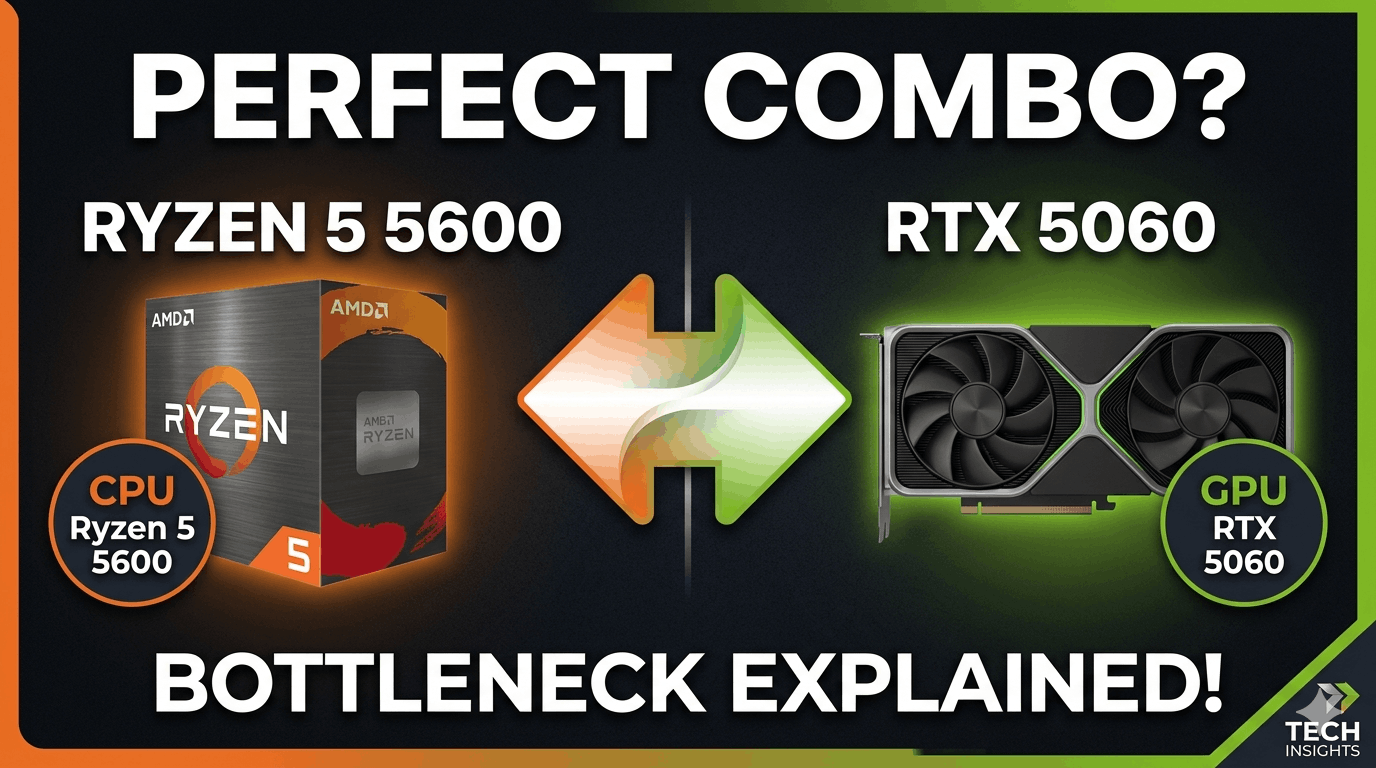
I’ve been seeing this question a lot (Ryzen 5 5600 + RTX 5060 bottleneck) since NVIDIA dropped the RTX 5060, and honestly it makes complete sense. The Ryzen 5 5600 is still one of the most popular budget CPUs sitting in millions of gaming rigs right now. The RTX 5060 is the newest budget-to-mid GPU on the market. Naturally people want to know — do they work together, or is one strangling the other?
Short answer: they work well together, with some caveats worth knowing before you spend money.
⚡ Quick Answer:
The Ryzen 5 5600 paired with the RTX 5060 produces a bottleneck of approximately 9–13% at 1080p gaming. At 1440p this drops to 5–7%. The CPU is the mild limiting factor at 1080p high refresh rate, but at 1440p the GPU takes over as the primary ceiling — which is exactly the balanced state you want. For most gamers this is a genuinely capable budget build in 2026.
What You’re Working With
Ryzen 5 5600 (CPU)
Architecture: Zen 3 (AM4) |
Cores/Threads: 6C / 12T |
2026 Price: ~$100 |
Best For: Budget Gaming Base |
RTX 5060 (GPU)
|
The Bottleneck Breakdown by Resolution
This is what most people actually want to know, so let’s get straight to it.
At 1080p targeting high refresh rates above 144fps, the Ryzen 5 5600 produces a mild 9–13% bottleneck with the RTX 5060. In practice this means the GPU occasionally waits for the CPU to finish processing frame data, most noticeably in CPU-heavy titles like CS2, Valorant at very high frame rates, and open world games with complex AI systems. The real-world FPS loss from this mismatch is typically 3–6%, which most players cannot distinguish during actual gameplay.
At 1440p the picture changes significantly. The RTX 5060 takes on a heavier pixel workload and the CPU bottleneck effectively disappears, dropping to 5–7%. The GPU becomes your performance ceiling, which is the ideal state — it means you’re getting close to the maximum the GPU can deliver rather than leaving frames on the table because the CPU can’t keep up.
At 4K the CPU is essentially irrelevant. The RTX 5060 is working at its absolute limit pushing 4K pixels and the Ryzen 5 5600 has more than enough headroom to feed it frame data continuously.
Real FPS Estimates: What to Expect in Popular Games
These are realistic FPS ranges based on the RTX 5060’s performance profile and the Ryzen 5 5600’s known gaming behaviour. Settings are High/Ultra unless noted.
At 1080p: Fortnite sits around 180–230fps average, with mild CPU limitation appearing above 200fps in competitive settings. CS2 delivers 220–270fps average with the CPU becoming the ceiling above that range. Cyberpunk 2077 with ray tracing off runs around 115–135fps, GPU-bound and smooth. Call of Duty Warzone comes in at 150–185fps average with consistent frame delivery. Elden Ring runs at 165fps or above, effectively uncapped and GPU-bound throughout.
At 1440p: Cyberpunk 2077 delivers 75–90fps average, GPU-limited and consistent. Fortnite hits 140–170fps in performance mode with the CPU completely out of the equation. CS2 runs 190–240fps average, well above any 144Hz or 165Hz monitor’s refresh rate. Warzone delivers 115–145fps average, very strong for competitive play. Elden Ring sits at 115–130fps average with no performance concerns.
The DLSS 4 Advantage
This is where the RTX 5060 genuinely separates itself from budget options that came before it. DLSS 4 with Multi Frame Generation allows the GPU to generate multiple AI frames per traditionally rendered frame, pushing effective frame rates dramatically higher in supported games.
The practical effect on the bottleneck discussion: Multi Frame Generation shifts a significant portion of frame production onto the GPU itself, reducing the CPU’s role in delivering high frame rates. For a Ryzen 5 5600 owner, this is actually excellent news — it means the mild CPU bottleneck at 1080p can be largely bypassed in DLSS 4 supported titles simply by enabling the feature.
In Cyberpunk 2077 at 1440p for example, enabling DLSS 4 Quality with Multi Frame Generation can push effective frame rates from 85fps to 200fps or above, with the CPU contributing far less to that final number than it would natively. The bottleneck equation changes entirely.
The RAM Factor Nobody Mentions
If you’re running a Ryzen 5 5600 and seeing disappointing results with any GPU, check your RAM configuration before drawing any conclusions about the hardware pairing.
The Ryzen 5 5600 on AM4 is genuinely sensitive to RAM speed and configuration. Running single-channel RAM or DDR4 at stock 2133MHz can suppress CPU performance by 15–25% compared to properly configured dual-channel DDR4 at 3200MHz with XMP enabled. In competitive titles this translates to 40–60 fewer frames per second — a difference that looks like a GPU or CPU problem but is actually a memory configuration issue.
The fix is straightforward and cheap. Make sure you have two sticks of RAM seated in the correct slots — typically A2 and B2, not adjacent slots. Enable XMP in your BIOS. Run at 3200MHz minimum, 3600MHz if your kit supports it. This single change can transform the perceived bottleneck between the 5600 and RTX 5060 significantly.
Who This Build Is Actually For
This pairing makes genuine sense for several types of builders.
It’s excellent for 1440p gamers targeting 100–144fps in visually rich games — Cyberpunk, Elden Ring, Hogwarts Legacy, RDR2. The GPU delivers at that resolution and the CPU stays out of the way.
It works very well for 1080p gamers targeting 144fps in most titles. Only the most CPU-intensive competitive games at very high frame rates push the 5600 to its ceiling.
It makes particular sense for anyone already owning a Ryzen 5 5600 who is upgrading their GPU. The RTX 5060 is a substantial upgrade from any RTX 3060 or below, and the existing CPU doesn’t need to change.
It shows its limits for hardcore competitive players chasing 240fps+ at 1080p in CS2 or Valorant, for content creators running OBS alongside gaming on 6 cores, and for anyone planning to hold this system for 5+ years without any CPU upgrade.
Should You Upgrade the CPU First?
Only if you’re exclusively targeting 240fps+ at 1080p in competitive titles. For everything else — keep the 5600 and put the money into the RTX 5060. You’ll feel the GPU upgrade far more than any CPU change at 1440p or in GPU-bound titles.
If you do decide to upgrade the CPU later, the Ryzen 7 5800X3D is the cleanest path. It drops straight into your existing AM4 motherboard, costs around $180–200 used, and is still one of the best gaming CPUs ever made for the platform. No new board, no new RAM, immediate performance jump in gaming.
Verdict: Is the Ryzen 5 5600 + RTX 5060 Worth Building?
Yes — with clear eyes about what you’re getting.
This isn’t a flawless pairing and it isn’t trying to be. It’s a budget-to-mid build that delivers genuine 1440p gaming capability and excellent 1080p performance for a total component cost well under $450 in 2026. The mild CPU bottleneck at 1080p is real but manageable, the DLSS 4 advantage partially bypasses it in supported titles, and at 1440p the pairing is well-balanced.
If you’re building from scratch on a tight budget or upgrading an existing Ryzen 5 5600 system, the RTX 5060 is a sensible, forward-looking choice. Make sure your RAM is in dual-channel at XMP speed, enjoy DLSS 4, and stop worrying about the bottleneck percentage.
Use our free Bottleneck Calculator at thebottleneckcalculator.com to check your exact system configuration and get a personalised result — it takes 30 seconds and factors in your specific use case and resolution target.