

Intro
You checked your system and saw a 5% bottleneck. Naturally, the first thought is: is something wrong with your PC?or is a 5% bottleneck bad?
Here’s the truth most guides don’t explain clearly. Not every bottleneck is bad. In fact, small ones are expected.
This guide explains what a 5% bottleneck actually means, how it affects gaming and performance, and how much bottleneck is bad in real-world scenarios.
Quick takeaway: a 5% bottleneck is usually completely fine and often a sign of a well-balanced system.
Is a 5% Bottleneck Bad?
No, a 5% bottleneck is not bad.
It is actually considered ideal in most cases. Real-world PCs are almost never perfectly balanced, so a small bottleneck like this is normal.
The goal is not to eliminate bottlenecks completely. The goal is to keep them small enough that they do not affect performance.
What Does a 5% Bottleneck Actually Mean?
A 5% bottleneck means one component in your system is slightly limiting another.
For example:
- Your CPU might be slightly limiting your GPU
- Or your GPU might be slightly limiting your CPU
In practical terms, the performance loss is extremely small. Most users will not notice any difference in gameplay or daily tasks.
Also, bottleneck percentages are not exact measurements. They are estimates based on expected performance, not precise real-time calculations.
Why a 5% Bottleneck Is Completely Normal
1. No PC Is Ever Perfectly Balanced
Every system has differences in CPU, GPU, RAM, and workload. Games and applications constantly change how they use hardware.
A true 0% bottleneck almost never exists in real usage.
2. Performance Impact Is Negligible
A 5% bottleneck usually results in very small FPS differences. In many cases, it falls within normal variation.
3. Smooth Frame Times in Real Usage
Small bottlenecks do not cause stutters or instability. Your gameplay remains smooth and consistent.
What Is a Good Bottleneck Percentage?
Understanding how much bottleneck is bad helps you make better upgrade decisions.
General guideline:
| Bottleneck % | Meaning |
| 0–5% | Excellent balance |
| 5–10% | Very good |
| 10–20% | Moderate limitation |
| 20%+ | Performance issue |
A good bottleneck percentage depends on your resolution, game type, and expectations.
5% vs 10% vs 20% Bottleneck – Real Differences
5% Bottleneck
- Almost no impact
- Ideal system balance
10% Bottleneck
- Slight inefficiency
- May affect very high FPS gaming
20%+ Bottleneck
- Clear performance limitation
- Lower FPS or reduced stability
CPU Bottleneck vs GPU Bottleneck – Which Is Better?
In gaming, a GPU bottleneck is usually preferred. It means your graphics card is fully utilized.
A CPU bottleneck can sometimes cause stutters or inconsistent frame pacing.
However, a small CPU bottleneck like 5% is still completely fine.
How Much Bottleneck Is Actually Bad?
When asking how much bottleneck is bad, the answer depends on context.
In general:
- Under 10% → not a problem
- Around 15–20% → may start affecting performance
- Above 20% → usually worth fixing
For example:
- A 20% CPU bottleneck can limit FPS in competitive games
- A 20% GPU bottleneck may just cap visuals at higher settings
Common Mistakes When Interpreting Bottleneck Percentage
Trusting Calculators Blindly
Online bottleneck checker tools are helpful, but they only provide estimates. Real performance depends on your exact setup.
Ignoring Resolution and Settings
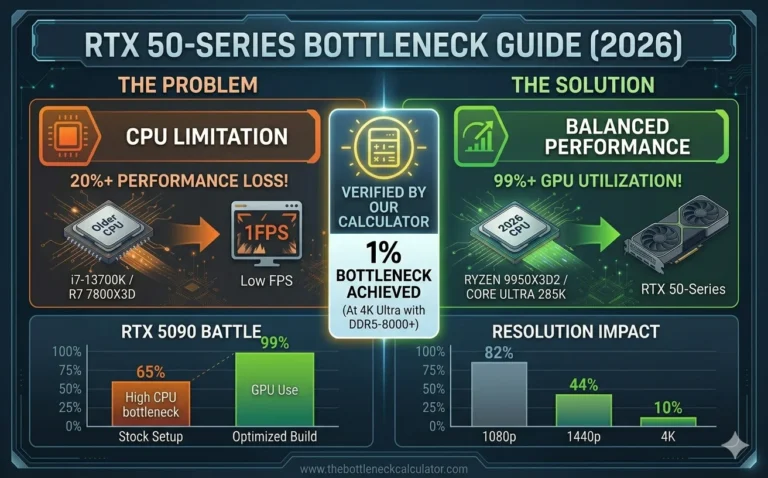
Changing resolution from 1080p to 1440p can completely shift the bottleneck from CPU to GPU.
Chasing 0% Bottleneck
Trying to achieve zero bottleneck often leads to unnecessary upgrades and wasted money.
Should You Fix a 5% Bottleneck?
You Do NOT Need to Upgrade If:
- Your system runs smoothly
- No stuttering or lag
- GPU usage is high during gaming
When You Might Consider Changes
- You are targeting 240Hz+ competitive gaming
- You run heavy CPU workloads
Easy Optimizations
- Enable dual-channel RAM
- Close background apps
- Adjust in-game settings
How to Check Your Bottleneck Properly
Monitor CPU and GPU Usage
- GPU near 100% → normal GPU bottleneck
- CPU maxed → CPU limitation
Test Different Resolutions
Higher resolution shifts load to the GPU.
Observe Real Gameplay
Focus on stutters and consistency, not just FPS numbers.
Why Chasing 0% Bottleneck Is a Mistake
Bottlenecks constantly change depending on workload. Trying to eliminate them completely is not practical.
A balanced system matters more than perfect numbers.
Real-World Examples
- Mid-range CPU + GPU → around 5% bottleneck, smooth performance
- High-end GPU + weak CPU → major bottleneck and poor FPS
- Balanced build → stable gameplay and consistent frame times
Final Verdict – Is a 5% Bottleneck Bad?
A 5% bottleneck is not bad at all. It is a sign of a well-balanced system.
Most users will experience smooth performance without any issues.
Instead of focusing on small percentages, focus on real-world performance like FPS stability and responsiveness.
If your system feels smooth, there is no need to upgrade.
Still unsure? Use a bottleneck checker to see your exact system balance